Markerless Mocap Setup and Plugin Integration
Reference Links
CapturyLiveLink_5.2
API Docs
Official Tutorial
Captury Testing and Usage
Open CapturyReplay

Import lanqiu Mocap Data
The data storage path must not contain any Chinese characters, otherwise the import will fail.

Open the ShotInfo and retarget views.


Load Target

Select Skeleton

Set Data Source

unknown and unknown-2 correspond to the two characters respectively.

Blocking Socket Issue in the Original Captury Plugin
Problem Description
During plugin integration (the plugin was already connected and data was flowing through), I ran into an issue:
Users reported that switching away from the Captury signal source to another source caused a noticeable freeze.
The freeze consistently lasted around 20 seconds.
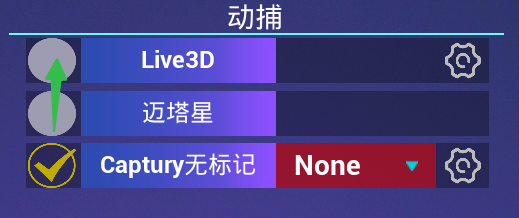

This problem only occurred when the Captury signal source was not connected. If the signal was already connected, switching sources caused no freeze at all.
Root Cause Analysis
Here’s the logic behind that operation: when the user switches to another signal source, I destroy the existing CapturyLiveLink to keep the LiveLink signal pool clean.
The “refresh signal” button also triggers this issue, because under the hood, refreshing means deleting the old CapturyLiveLink and then creating a new connection.
To prevent data race conditions at the lower level, I enforce a strict rule: only one CapturyLiveLink source is allowed at any time.
So whenever the user switches to another source, I always destroy the old one. The problem occurs during that destruction — specifically, destroying an old source that was never successfully connected triggers this ~20-second freeze.
But why does it only freeze when the source is “not connected” and not under normal circumstances? At this point I wasn’t sure, so my initial hunch was that the issue was somewhere in the underlying disconnect logic.
Using Unreal Insights, I confirmed that after Captury_disconnect was called, the entire system stalled for over thirty seconds.

So it was confirmed: the disconnect operation was causing the freeze.
Then, while the game was hanging (during those tens of seconds), I paused the IDE to see where the game thread was stuck. It was sitting at:
1 | WaitForSingleObject(receiveThread, INFINITE); |
This line was something I had added a few days earlier. I was concerned about multi-threading issues if two CaptureLiveLinks were running simultaneously — lower-level contention could cause crashes — so I wrote it to wait for the background worker thread to fully exit before considering the shutdown complete.
That’s when I realized: the problem must be inside the receiveThread loop.
So I started adding logs throughout the call chain to track down exactly which interface was causing the hang. I also added more exit mechanisms (stopReceiving, bExternalShutdownRequested) to see if I could eliminate the freeze.
1 |
|
The logs revealed the culprit:
1 | Display LogCaptury CapturyLiveLink: request shutdown |
The openTcpSocket() + number entries and RemoteCaptury::disconnect() lines are from the game thread.
When I issued the shutdown command, the remote thread was stuck between 04-1 and 04-2, and it was still alive. So everyone was waiting for the remote thread.
The function sandwiched between those two log entries is sock = openTcpSocket();.
What this function does: it creates a TCP socket and attempts to establish a connection with the remote address.
Here is the original code:
1 | SOCKET RemoteCaptury::openTcpSocket() |
After adding logs, I confirmed the function was hanging at:
if (::connect(sok, (sockaddr*) &remoteAddress, sizeof(remoteAddress)) != 0)
This if check calls into the Windows socket API. At this point, the culprit was identified.
Deep Dive into the Underlying Logic

This section explains two things clearly:
- Why a blocking
connecthangs for tens of seconds when the connection fails; - How this behavior relates to blocking/non-blocking I/O, buffers, and I/O multiplexing.
1. Why Blocking connect Can Stall for a Long Time
The original openTcpSocket uses a blocking socket with a blocking connect:
1 | SOCKET sok = socket(AF_INET, SOCK_STREAM, IPPROTO_TCP); |
In blocking mode:
connectenters the kernel and waits for the TCP three-way handshake to complete or fail;- If the remote server is not running / the IP is unreachable / packets are dropped, the system keeps sending SYN packets and waiting for a response according to its own retry policy;
- During this time, the thread calling
connectis suspended until the kernel decides the connection has failed and returns a timeout; - This timeout is typically on the order of tens of seconds (which matches the ~20s I actually observed).
Looking at receiveLoop in context:
receiveLoopkeeps callingsock = openTcpSocket()in a reconnect loop;- When the Captury server isn’t running, every call to
openTcpSocket()blocks insideconnectuntil the system timeout fires; - My
disconnect()is sitting atWaitForSingleObject(receiveThread, INFINITE), waiting for this thread to exit naturally; - So the game thread gets indirectly dragged down for tens of seconds by a single blocking
connect.
In other words, this isn’t a logic deadlock — it’s purely the kernel’s blocking connection wait doing its job.
2. Blocking I/O, Buffers, and I/O Multiplexing (Extended Context)
The blocking issue doesn’t only happen with connect — it also applies to read / write (or recv / send in WinSock):
- In blocking mode:
recvwill wait indefinitely when there’s no data in the buffer;sendwill wait indefinitely when the send buffer is full;- The thread hangs in these system calls until data arrives or space opens up.
The diagrams below illustrate what’s happening: an application thread is accessing a kernel buffer —

- On read: if there’s temporarily no data in the buffer, blocking
read/recvstalls the thread; - On write: if the buffer is full, blocking
write/sendstalls and waits for the kernel to flush old data.


Under the “blocking model” (the original code), if the network thread is directly blocked on these calls:
It can’t respond to exit signals in time (
stopReceiving/bExternalShutdownRequested, etc.);Logic like
disconnect()that needs to “wait for the thread to exit cleanly” gets dragged along with it. The diagram below illustrates the multi-threaded blocking model: when there are many concurrent connection calls, multiple threads are spawned, each handling one connection. When a service drops, only then does that thread release. This is a very old-school approach, because threads are actually precious resources — a single machine only has so many of them. (In my project specifically, since I only allow one Captury thread at a time and the game thread has to wait for it, the entire game freezes. Though I had other reasons for this design decision.)
IO multiplexing (select / poll / epoll / WSAPoll) is essentially doing one thing:
- Instead of hanging the thread on
read/write/connect, it:- Waits on a set of file descriptors for “readable / writable / error” events;
- Only when the kernel reports “this fd is ready” does it actually call
read/recvorwrite/send; - This wait supports custom timeouts (e.g. 10ms, 100ms, 1s), and you can check exit conditions every time it wakes up.
3. The Role of Non-Blocking + ioctlsocket Here
ioctlsocket(sok, FIONBIO, &NonBlocking) switches the socket from “blocking mode” to “non-blocking mode”.
In non-blocking mode:
connectno longer hangs the thread. Instead:- It returns immediately with an error code (e.g.
WSAEWOULDBLOCK / WSAEINPROGRESS), meaning “connection is in progress”; - You then use
select/WSAPollto poll whether the connection succeeded or failed, and you control the maximum wait time yourself;
- It returns immediately with an error code (e.g.
read/recvandwrite/sendalso return immediately withEWOULDBLOCKwhen there’s no data or the buffer is full, letting your own logic decide what to do next instead of freezing the thread.
To summarize this section:
- Root cause: A blocking
connectto an unreachable target triggers a system-level long timeout, suspending the thread for tens of seconds in the kernel; - Amplifier: My
receiveLoopfrequently callsopenTcpSocket()in the reconnect path, anddisconnect()must wait for the thread to exit; - Why switching to non-blocking: Use
ioctlsocket(FIONBIO)+selectto control the wait duration and exit timing yourself — turning “an uncontrollable 20-second timeout” into “a controllable sub-1-second failure”, allowingdisconnect()to return quickly.
Non-blocking is implemented by “modifying the socket mode” — the code sets the socket to non-blocking after socket() but before connect(), so connect() executes in non-blocking mode. Once the connection completes, the socket is restored to blocking mode.
- So my modified code isn’t fully non-blocking — it’s a hybrid approach.
Solution
The issue here is that we’re calling the low-level WinSock connect.
It’s a Windows system call — there’s no way to inject conditional checks inside it.
Our options are:
- Switch to a different calling strategy (non-blocking + manually controlling timeout via
select/WSAPoll); - Or add logic around the
connectcall, like checkingstopReceivingbefore calling it, or forcefully callingclosesocketfrom another thread after the call.
The second option isn’t great — it requires maintaining an extra thread just to kill this thread. That sounds like a mess. So I went with the first approach: rework openTcpSocket to use a non-blocking socket.
1 | SOCKET RemoteCaptury::openTcpSocket() |
This function creates a client socket, performs the connect in non-blocking mode, then restores blocking mode once the connection is established.
References
Different Implementation Approaches for LiveLink Data
Think of it as two categories: a Message Bus Provider discoverable by the Finder, and a custom/dedicated Source that connects directly via IP and port.
Both ultimately feed data into the LiveLink Client, but they differ significantly in how they’re discovered, connected, and operated at the network level.
| Finder + Message Bus | Direct IP Connection | |
|---|---|---|
| Discovery and Connection | Uses UE’s UDP Messaging / Message Bus for broadcast/multicast Ping/Pong.ULiveLinkMessageBusFinder::GetAvailableProviders() can only list “Providers that respond with FLiveLinkPongMessage“.Advantage: auto-discovery, no manual IP entry. |
The Source implements its own network protocol (TCP/UDP/custom port); typically you manually enter an IP (and possibly port) in the UI or Blueprint. Captury in my project falls into this category: ConnectCapturyLiveLinkSource(const FString& IpAddress, bool bUseTCP, ...) takes an IP as its entry point and supports transport options like TCP/compression/tags.Advantage: doesn’t depend on the Message Bus ecosystem; protocol is fully under your control. |
| Network Dependencies and Reachability | Depends on: UDP Messaging, correct NIC binding, multicast/broadcast allowed, Windows Firewall rules. Common issues: wrong NIC selected, cross-subnet/VLAN/AP isolation causing discovery to fail. |
Depends only on: the target IP/port being reachable (more like traditional client/server). Easier to route across subnets/NAT (as long as network policy allows), but you need to handle port exposure and firewall/NAT rules. |
| Data Source Form and Protocol Semantics | The “data source” is typically a Provider service that exposes “discoverable Provider + a set of Subjects”. Communication semantics include “discovery/handshake/versioning” (e.g. Pong carries version, machine name, etc.). |
The “data source” is just a data stream from a device/application on a given port — connect and you receive data. Semantics are entirely defined by the plugin (e.g. Captury’s bStreamCompressed, bStreamARTags as capability flags). |
| Lifecycle and Stability | Provider online/offline changes surface through the discovery mechanism; but “discovered” doesn’t mean “stably connected” — still subject to Message Bus environment fluctuations. | Connection state is more straightforward (connected/disconnected/reconnecting); reconnect strategy and timeouts are generally handled by the plugin itself. |
| Blueprint/Code Usage Differences (in my project) | Typical flow: Finder retrieves Provider list (== discoverable) → select Provider → create corresponding Source. | Typical flow: directly call ConnectCapturyLiveLinkSource(IpAddress, bUseTCP, ...) to create the Source.The meta=(Latent, ... Duration="0.2") tag indicates this is a deferred/awaited Blueprint call; Duration acts as a wait/timeout window (exact behavior is implementation-defined), but it is not “LAN discovery”. |